
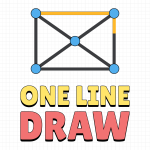
 One Line Draw
Connect every dot on the grid using a single continuous line in One Line Draw, a spatial logic puzzle that plays free in your web browser.
One Line Draw
What is One Line Draw?
One Line Draw is a browser-based brain and logic puzzle developed by Unico Studio where players clear geometric boards by joining dots with an unbroken path. The central goal requires drawing across every designated line segment on a grid without lifting your input or crossing over an existing track. While introductory diagrams take only moments to complete, later stages introduce interconnected networks that demand careful spatial foresight and planning. It runs directly in your web browser with nothing to download or install.
Key features
- Single-stroke drawing: Connect every active point on the board using one continuous line without overlapping your path.
- Intricate grid designs: Solve puzzles ranging from basic polygon shapes to complex multi-junction network patterns.
- Dual screen orientation: Enjoy complete visual flexibility with support for both portrait and landscape screen layouts.
- Cross-device controls: Play seamlessly with precise mouse dragging on desktop computers or smooth touch input on mobile displays.
- Frictionless resets: Clear your current line instantly whenever you hit a dead end and try a fresh approach without penalties.
How to play
- Observe the board layout and examine how many connecting paths meet at each dot.
- Identify an optimal starting junction that leaves open passage through the rest of the diagram.
- Click and hold your mouse or touch the display to begin your continuous line.
- Trace along the open segments from point to point without lifting your finger or cursor.
- Cover every line on the puzzle layout to solve the board and unlock the next challenge.
Controls
| Action | Keyboard / mouse | Touch |
|---|---|---|
| Draw line across dots | Click and hold | Tap and hold |
Graph traversal mechanics
Each puzzle board in One Line Draw functions on mathematical network principles. A dot that connects to an odd quantity of line segments creates a structural requirement: your continuous path must either start at that dot or finish there. When a puzzle layout features two odd junctions, beginning on any other point makes the board impossible to complete without retracing lines. Identifying whether a pattern has zero or two odd-degree points allows you to choose your starting position with certainty before sketching your route.
Tips and strategy
- Target odd-degree nodes: Check the connection count on every dot; always start your stroke on an odd junction when one is present.
- Guard escape routes: Avoid closing loops prematurely, because enclosing an inner loop can strand remaining outer points without an exit.
- Map the sequence mentally: Trace the complete path in your thoughts before dragging your cursor to avoid accidental dead ends.
- Sweep outer edges first: Navigating perimeter segments before tackling central bridges keeps navigation paths open across the layout.
- Switch the start point: If an attempt leaves a single unreachable segment, reset the puzzle and begin from the opposite terminal.
Similar games
If you enjoy spatial puzzles and tracing challenges, explore these titles on the site:
- Mosaic Puzzle Art tests spatial visualization by fitting colored polygonal tiles into designated artwork patterns.
- Sugar Sugar challenges players to draw custom physics ramps that guide falling sugar particles into matching cups.
- Shape Fold Nature requires manipulating hinged paper silhouettes to assemble intricate natural structures.
Developer and history
One Line Draw was developed by Unico Studio and released on April 29, 2025. Known for popular thinking games such as Brain Test, the studio built this puzzle to deliver focused spatial challenges in short sessions. The game runs smoothly on modern browsers on Free Learning System with no installation needed.
I’ve been playing this one a lot lately.