
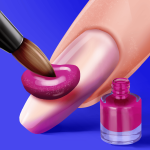
 Nails DIY: Manicure Master
Design custom nail art, paint polish, and add stickers in Nails DIY: Manicure Master, playable free in your web browser on Free Learning System.
Nails DIY: Manicure Master
What is Nails DIY: Manicure Master?
Nails DIY: Manicure Master is a salon styling game developed by WeLoPlay that arrived in July 2024. The core loop guides players through selecting nail length, applying vibrant polish, arranging decorative stickers, and pairing the finished hands with matching jewelry for a final photo shoot. The title stands apart by prioritizing calm, creative expression over timers or fail states. It runs directly inside your web browser on Free Learning System with no downloads or installation required.
Key features
- Custom nail length: Pick the starting nail extension size before beginning cosmetic work.
- Manual brush control: Drag across individual nails to coat them with chosen polish colors.
- Decorative decals: Select from a variety of stickers to accent each painted finger.
- Jewelry accessorizing: Complete the manicure by fitting a stylish ring on the model.
- Photo shoot finale: Capture the finished hand design in a dedicated presentation scene.
- Cross-device portrait play: Runs smoothly in a vertical orientation on desktop computers, tablets, and phones.
How to play
- Select the nail length you want to shape for the hand.
- Browse the polish selection and pick a color palette for your manicure.
- Hold and drag your cursor or finger to coat every nail evenly.
- Select decorative stickers from the menu and position them onto individual nails.
- Choose an ornamental ring to complement your finished color scheme.
- View the final result during the celebratory photo shoot.
Controls
| Action | Keyboard / mouse | Touch |
|---|---|---|
| Select polish or stickers | Mouse click | Tap screen |
| Apply nail polish | Hold and drag cursor | Touch and drag finger |
| Select ring accessory | Mouse click | Tap screen |
Manicure styling workflow
The styling sequence flows step by step through each cosmetic stage. Players begin by setting the nail foundation length, establishing the canvas for the artwork. Once the structure is ready, the salon workbench opens the color palette where you apply polish by dragging across the nail surface. After the coats dry, you accent the look with stickers, add hand jewelry, and conclude with the showcase photo shoot. Because there are no penalty mechanics or ticking clocks, you can experiment freely with different aesthetics.
Tips and strategy
- Establish a cohesive theme early: Decide on a palette before placing decals so your stickers match the underlying polish tones.
- Coat the nail surface thoroughly: Drag steadily across the entire nail area to ensure complete, clean polish coverage.
- Balance sticker placement: Distribute decorative accents thoughtfully across different fingers rather than crowding a single nail.
- Coordinate your ring choice: Choose a jewelry piece whose metal and gem accents complement the primary polish shades.
- Take advantage of untimed sessions: Experiment with multiple color combinations without worry, since the game imposes no time limits.
Similar games
If you enjoy styling hands and personalizing virtual looks, explore these salon and makeover titles:
- Beauty Salon: A classic salon experience centered around facial care, hair styling, and beauty routines.
- Funny Ear Surgery: A playful medical simulation where you treat clinic patients before giving them a fresh makeover.
- Star Blogger Left or Right: A quick-choice dress up game where you pick outfits piece by piece to build social media looks.
Developer and history
Nails DIY: Manicure Master was developed by WeLoPlay and released in July 2024. The developer is also known for varied web releases including athletic titles like Hockey Stars and Stickman Bike, alongside dress up experiences such as Glam Girl: Dress Up and Makeover. Built in portrait orientation, the game runs smoothly across desktop browsers and mobile devices.