
 Cozy Room Design
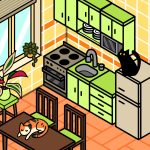
Design and decorate bedrooms, kitchens, and living rooms with custom furniture and pets in Cozy Room Design, playable directly in your web browser for free.
Cozy Room Design
What is Cozy Room Design?
Cozy Room Design is a relaxed interior decoration game developed by Entrevero Games and published in 2023. The experience centers on turning blank indoor areas into fully furnished quarters, including bedrooms, kitchens, and living spaces. Players select wallpapers, position windows, lay down carpets, and arrange household items with complete creative freedom. The title operates directly in any modern desktop or mobile web browser on Free Learning System without requiring installations or file downloads.
Key features
- Living spaces: Decorate distinct interior spaces such as cozy bedrooms, warm kitchens, and relaxed living rooms.
- Custom surfaces: Select and swap wall coverings, floor carpets, and window styles to establish the foundation of each room.
- Color customization: Experiment with varied color combinations across furnishings to coordinate your preferred aesthetic.
- Flexible orientation: Rotate placed objects with a single click to ensure desks, chairs, and cupboards face the right direction.
- Animal companions: Place cats and dogs across beds, work surfaces, or floor rugs to make your space feel inhabited.
- Export feature: Record finished arrangements by using the left-hand save button to keep an image of your completed room.
- Cross-device support: Runs smoothly on personal computers as well as touchscreen phones and tablets in both orientations.
How to play
- Choose an empty layout, such as a bedroom or living area, to serve as your decoration canvas.
- Browse the catalog and equip base elements, including wall colors, window frames, and floor rugs.
- Drag primary furniture items into the room to establish sleeping, cooking, or seating zones.
- Click or tap the on-screen rotation button to align tables, chairs, and shelving properly.
- Introduce smaller accents and add domestic pets to floor rugs, desks, or cushions.
- Review your overall placement, remove clutter with the delete control, and tap the save button to store your work.
Controls
| Action | Keyboard / mouse | Touch |
|---|---|---|
| Equip or unequip items | Mouse click | Tap |
| Move furniture and decor | Click and drag | Drag across screen |
| Rotate placed object | Click rotate button | Tap rotate button |
| Delete item from room | Click delete button | Tap delete button |
| Save finished layout | Click save button | Tap save button |
Interior arrangement mechanics
Room planning in Cozy Room Design relies on layering surfaces and fixtures step by step. Starting with foundational elements sets the mood for the entire living area. Wallpaper and windows provide backdrop balance, while floor coverings establish boundaries for furniture groupings. Once structural elements are in place, adding functional furniture forms the core structure of the space, followed by decorative accents and pets.
| Design layer | Decorating role |
|---|---|
| Wallpaper and windows | Builds the vertical atmosphere and visual backdrop |
| Carpets and rugs | Defines floor sections and anchors furniture pieces |
| Primary furniture | Provides core functional items like beds, tables, and counters |
| Cats and dogs | Adds life to cushions, desks, and open floor spots |
Tips and strategy
- Establish boundaries with rugs: Lay carpets down before placing seating, as floor coverings create visual zones that keep large rooms organized.
- Start with substantial furniture: Position beds, desks, and storage units first so you do not run out of room for essential pieces later.
- Turn pieces to face inward: Use the rotation button to angle chairs toward tables or the center of the room to create natural walkways.
- Avoid overcrowding surfaces: Leave generous open spaces around doorways and beds, because visual breathing room makes spaces feel calm.
- Use the delete button freely: Remove experimental items that do not match your color palette rather than letting unnecessary clutter accumulate.
- Save multiple revisions: Tap the save button whenever a room feels balanced so you have a saved copy before trying new color schemes.
Similar games
- My Cozy Home provides a comparable interior design experience where you coordinate household furniture and decorative accents.
- Happy Tidy Time shifts focus toward cleaning, sorting, and arranging domestic items in orderly spaces.
- Tree House Maker lets players build and furnish customized cabins set high up in woodland canopies.
Players who enjoy this title can also explore other browser releases created by Entrevero Games, such as Bearsus, Kawaii Dress-Up, and Fairy Dress-Up.
Developer and history
Cozy Room Design was created by Entrevero Games, an independent team known for casual dress-up and styling releases. The game launched on December 21, 2023, offering a peaceful sandbox environment built for instant play on computers and mobile devices.
Appreciate the tips, this helped me improve my run.